A trip planner you build together, from first idea to last photo
Most trips are planned by one person in a group chat and forgotten a week after coming home. Travelli keeps the whole thing in one place: everyone edits the same itinerary before you leave, you carry it in your pocket while you are there, and it turns into a record of the trip once you are back.
Travelli is a free travel planning app for people who travel together — friends, couples, families and coworkers. Instead of one person building an itinerary alone and pasting it into a group chat, everyone you invite can open the same trip, add places, move things around and see the changes.
It runs in any browser and as an app on iOS and Android, on the same account. In practice most people plan on a computer, where a wide screen fits a whole day next to a map, and then use their phone during the trip itself.
Plan the trip together, not in a group chat
Invite your travel companions to a trip and they see the same itinerary you do. There is no separate 'my version' to reconcile, so nobody has to scroll back three days to find the restaurant address someone sent. Each person can be an owner, an editor who can change the plan, or a viewer who can only read it — useful when you want the plan visible to everyone but edited by two of you.
Invite by link — the person you invite does not need an account to preview the trip first
Owner, editor and viewer roles, so a shared plan does not get rearranged by accident
Every place, cost and checklist item shows who added it
Plan on a wide screen, with the map right there
A day of travel is mostly a question of distance, and distance is hard to judge on a phone. Open Travelli in a browser on your computer and the day's schedule sits next to a map with every stop pinned on it, so you can see that the museum and the restaurant you picked are an hour apart before you commit to both. Trips can cover several cities, each with its own dates.
Schedule and map side by side on a desktop browser
Multi-city trips, with the days split per city
Preset places for popular cities, so an empty day has somewhere to start
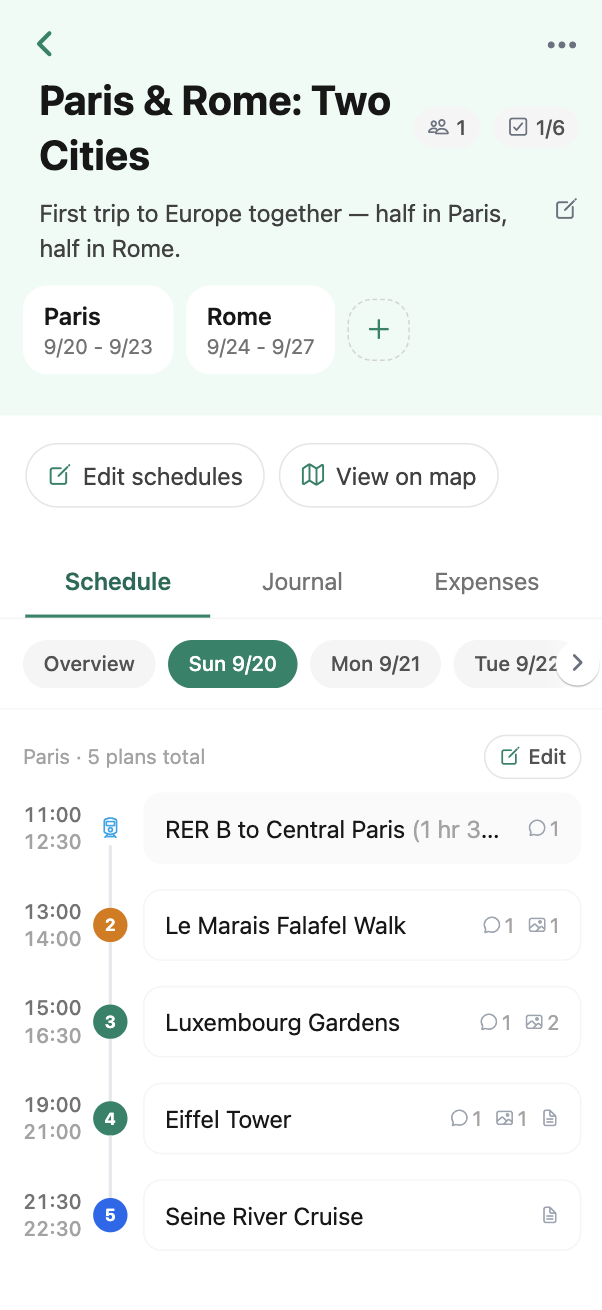
Build each day by dragging, or import a plan you already have
Plans change constantly — while you are researching, and again while you are standing on the street with a closed museum in front of you. Moving a stop to a different time or a different day is a drag, not a form. If you have already collected everything in a spreadsheet, you can download the Excel template, fill it in and upload the whole trip at once instead of retyping it.
Drag and drop to reorder a day or move a stop to another date
Bulk import from an Excel template, with headers in any supported language
Notes on the trip and on individual places, for confirmation numbers and opening hours
Everything the trip needs while you are on it
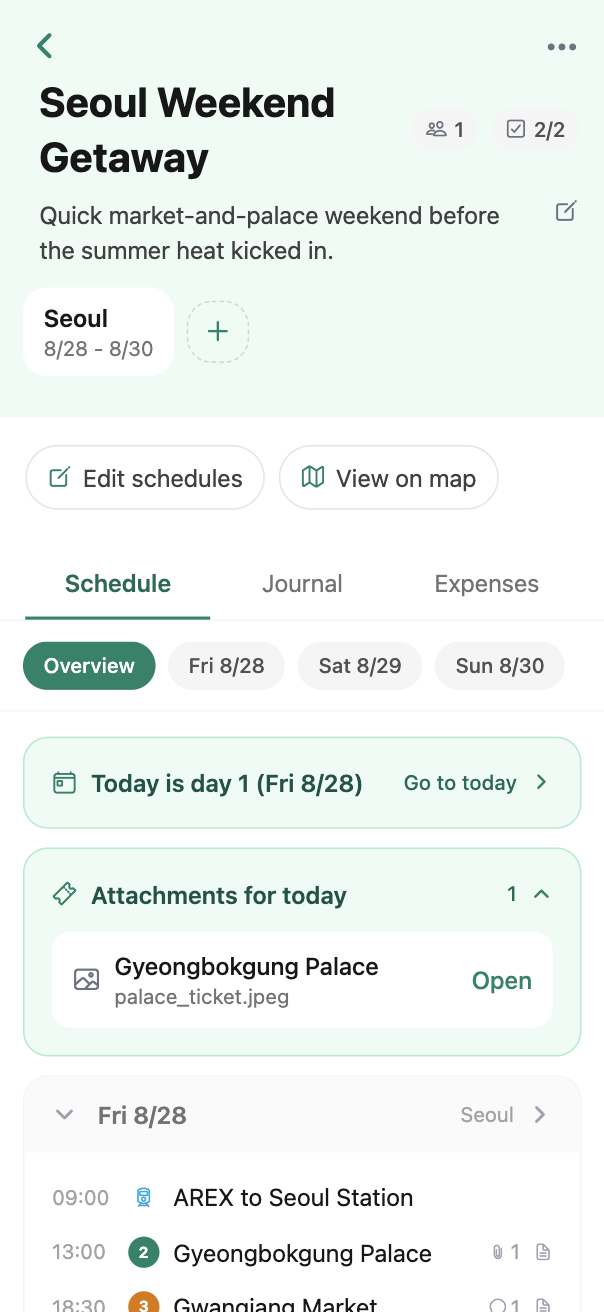
Once you are travelling, the plan is only half of what you need. Travelli keeps the practical parts attached to the itinerary instead of scattered across a notes app, a spreadsheet and your email, so the ticket for the 9am train is on the 9am train.
Ticket and booking attachments, including PDFs, saved on the trip or on a specific stop
A shared checklist with groups, so packing and pre-trip errands are ticked off by whoever does them
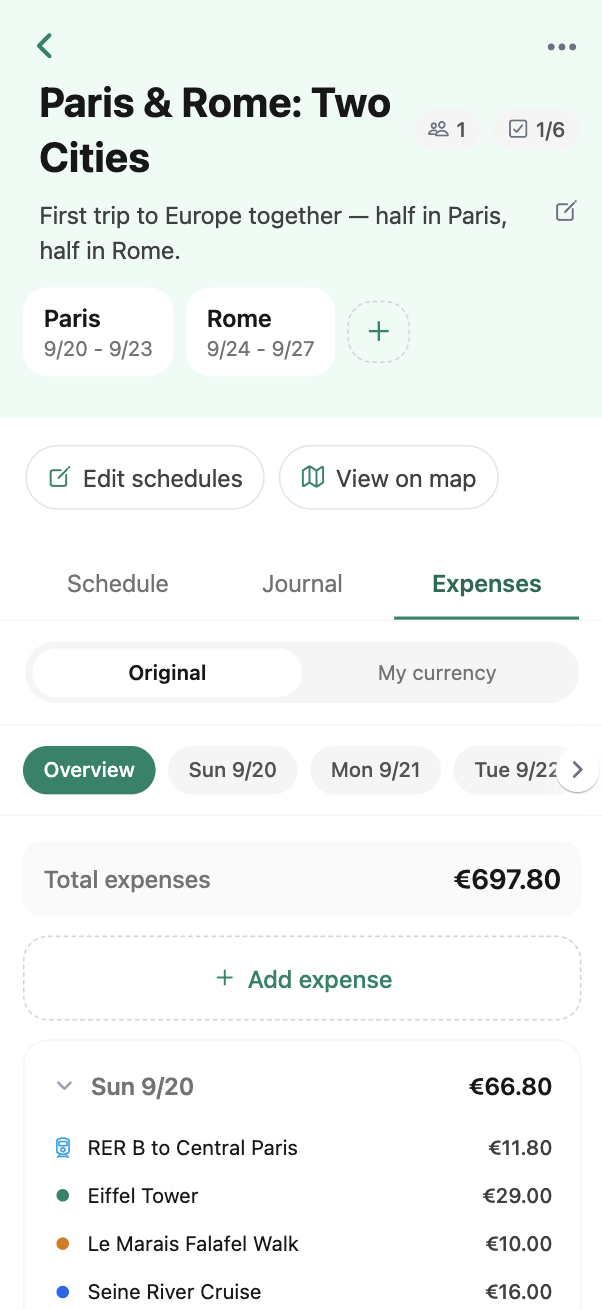
Expense records in whatever currency you paid in, converted to your home currency at live rates so you can see what the trip is costing
Keep the trip after it ends
A finished itinerary is already a list of everywhere you went, in order, with dates. Add photos and a few lines about each place and it becomes the record of the trip — without building a separate album somewhere else. Trips stay in your account, so the plan you made for Osaka is still there the next time someone asks you where to eat.
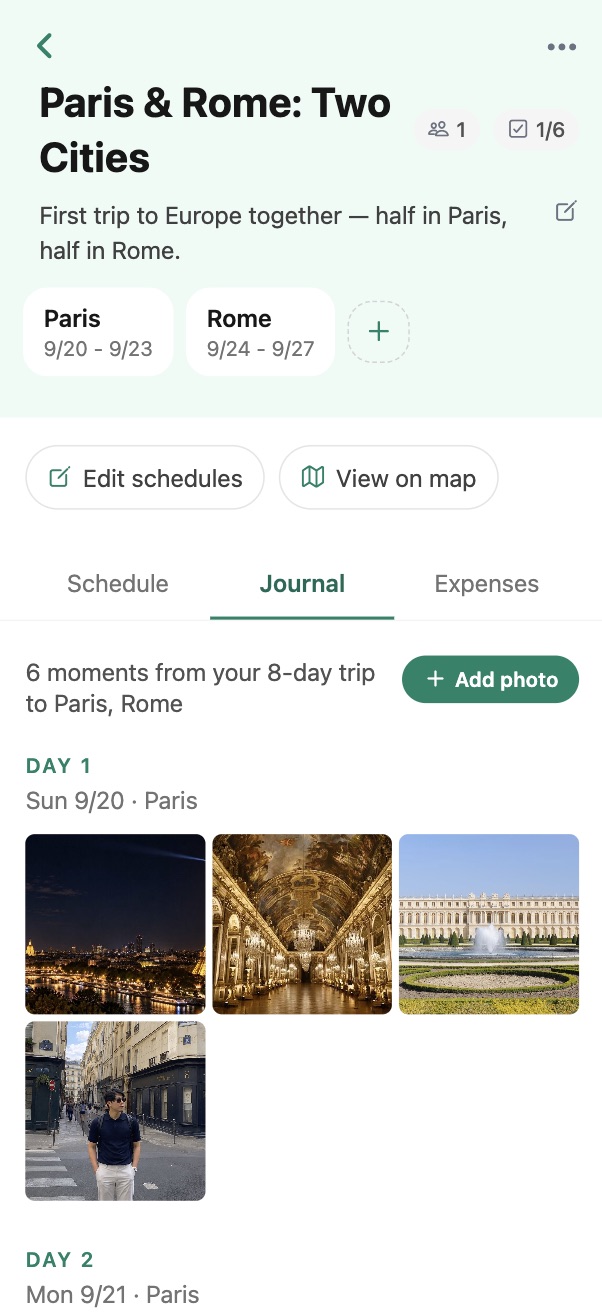
Photos and short reviews attached to the places you actually visited
A gallery view of the whole trip, grouped by place and day
Past trips stay in your account to look back on or copy ideas from
Where Travelli runs
One account, the same trips everywhere. Plan on the device that suits the task and pick it up on the other one.
Web
Any modern browser, no install. The wide screen is where most planning happens.
iOS
iPhone and iPad, for the trip itself — tickets, checklist and today's plan.
Android
The same app on Android phones and tablets.
Frequently asked questions
Is Travelli free?
Yes. Creating trips, inviting the people you are travelling with, and all the planning features are free to use.
Do the people I invite need to install the app?
No. Travelli runs in a browser, so an invited traveller can open the trip on the web. Installing the iOS or Android app is worth it for the trip itself, but it is not required to view or edit a plan.
Can more than one person edit the same itinerary?
Yes — that is the point of the app. Anyone you invite as an editor can add and rearrange places in the trip, and everyone sees the same plan. You can also invite someone as a viewer if you want them to read the plan without changing it.
Can I track what the trip costs?
Yes. You can record expenses against a specific place or a specific date, in the currency you actually paid in. Travelli converts them to your home currency using current exchange rates so the total means something.
Can I plan a trip that covers several cities?
Yes. A trip can contain multiple cities with their own date ranges, and the itinerary is organised day by day across all of them.
Can I move a plan I already made in a spreadsheet?
Yes. Download the Excel template from the trip's import screen, fill in the dates, times and place names, and upload it to create the whole schedule at once.
Plan your next trip with everyone who is coming
Create a trip, send one link, and stop rebuilding the plan in a group chat.
Start planning for free
© 2026 Travelli